What an MFA reset in Microsoft Entra ID actually does
An MFA reset is the moment an administrator wipes the multifactor authentication (MFA) methods of a user account so the person can register a new one. In Microsoft Entra ID, formerly Azure Active Directory, the button is labeled Require re-register MFA, and the authentication methods guide on Microsoft Learn describes what it touches. It deactivates hardware OATH (Initiative for Open Authentication) tokens and deletes phone numbers, Microsoft Authenticator apps and software OATH tokens. At the next sign-in the user sets up a new method. A second button, Revoke sessions, invalidates the refresh tokens so every open session must sign in again.
The request behind that button is one of the most common helpdesk tickets, caused by a new, lost or wiped phone. Each is a two-minute task that waits for somebody with the right role, unless a self-service layer such as the au2mator Self-Service Portal lets the helpdesk start it. The same two minutes are the favorite entry point of attackers who call pretending to be the user, which is why a good MFA reset process verifies first and resets second.
Two details matter before you automate. A phone number that is the user’s default MFA method cannot be deleted while it is the default, as the Graph reference for phone methods notes. And a reset does not sign anyone out, so an attacker who is already in keeps the session until you revoke it. In au2mator both live in one request.
Why MFA resets still land on an administrator
The permission model is the first reason. Resetting another user’s methods requires the Authentication Administrator role, or Privileged Authentication Administrator for administrators, according to the Microsoft Entra built-in roles reference. Both are privileged roles, and the first one brings far more than MFA. An Authentication Administrator can set or reset every authentication method including passwords for non-administrators, require re-registration, delete and disable users, change a user principal name and invalidate all refresh tokens. Helpdesk Administrator, the role most first-level teams hold, resets passwords but cannot touch MFA methods.
Either the whole helpdesk gets a privileged role for a routine task, or every MFA reset becomes a ticket for the few people who hold it. Administrative units narrow the users an Authentication Administrator can act on, but not the actions, so a scoped agent can still delete or disable every account in that unit.
The second reason is risk. The advisory AA23-320A on Scattered Spider by the US Cybersecurity and Infrastructure Security Agency (CISA) describes how the group used voice calls to convince IT help desk personnel to reset passwords and MFA tokens. That is why the reset belongs in a process with a mandatory identity check, an approval record and an execution log, not in a console where a single click does all of it.
Four ways to handle MFA resets for the helpdesk
| Approach | Who holds the Entra role | Identity check and approval | Watch out for |
|---|---|---|---|
| Admin center, reset by an administrator | Two or three administrators with Authentication Administrator | Whatever the admin remembers to ask | Every reset is a ticket that waits, no verification record |
| Authentication Administrator for the helpdesk, optionally scoped to an administrative unit | Every helpdesk agent | Checklist in the ticket, if followed | Privileged role for a routine task, agents can also delete and disable users in scope |
| Your Graph script plus the au2mator Self-Service Portal | Nobody. A service account holds the Graph permissions, on the three engines au2mator connects to | Verification is a required form field, approval per service, one audit entry per reset | You still write the script and the verification rule |
| Temporary Access Pass and self-recovery via Security info | Still an Authentication Administrator to create the pass | Depends on how the pass is handed over | Shortens the window after the reset, does not remove the ticket |
The third row is the only one where the helpdesk holds no Entra role, the identity check is enforced, and request, approval and execution are one record. The script that does the work on PowerShell, Azure Automation or System Center Orchestrator is the one an administrator runs by hand today.
The PowerShell behind an MFA reset
Every MFA reset is a set of Microsoft Graph calls, and the Microsoft Graph PowerShell software development kit (SDK) wraps them in cmdlets. Get-MgUserAuthenticationMethod lists what a user has registered, and each method type has its own remove cmdlet. The Graph reference for deleting an Authenticator method names UserAuthenticationMethod.ReadWrite.All as the least privileged application permission for an unattended script. The service account also needs User.Read.All for the user lookup and User.RevokeSessions.All for Revoke-MgUserSignInSession.
param([string]$UserPrincipalName, [string]$TicketId, [string]$IdentityVerified)
$ErrorActionPreference = 'Stop'

# Unattended on your engine. Managed identity on Azure Automation, or a certificate
# for a service account on PowerShell or Orchestrator (-ClientId -TenantId -CertificateThumbprint)
Connect-MgGraph -Identity -NoWelcome

$user = Get-MgUser -UserId $UserPrincipalName -Property Id, AccountEnabled
if (-not $user.AccountEnabled) { throw "Account is disabled, no reset performed" }
if ($IdentityVerified -ne 'True') { throw "Identity check not confirmed by the requester" }

$removed = 0; $skipped = @()
foreach ($m in Get-MgUserAuthenticationMethod -UserId $user.Id) {
    try {
        switch ($m.AdditionalProperties['@odata.type']) {
            '#microsoft.graph.microsoftAuthenticatorAuthenticationMethod' {
                Remove-MgUserAuthenticationMicrosoftAuthenticatorMethod -UserId $user.Id -MicrosoftAuthenticatorAuthenticationMethodId $m.Id; $removed++ }
            '#microsoft.graph.phoneAuthenticationMethod' {
                Remove-MgUserAuthenticationPhoneMethod -UserId $user.Id -PhoneAuthenticationMethodId $m.Id; $removed++ }
            '#microsoft.graph.softwareOathAuthenticationMethod' {
                Remove-MgUserAuthenticationSoftwareOathMethod -UserId $user.Id -SoftwareOathAuthenticationMethodId $m.Id; $removed++ }
        }
    } catch { $skipped += "$($m.Id) ($($_.Exception.Message))" }   # e.g. the default phone method
}
Revoke-MgUserSignInSession -UserId $user.Id | Out-Null
try {
    $tap = (New-MgUserAuthenticationTemporaryAccessPassMethod -UserId $user.Id -BodyParameter @{ lifetimeInMinutes = 60; isUsableOnce = $true }).TemporaryAccessPass
} catch { $tap = "not issued ($($_.Exception.Message))" }
$flag = if ($skipped.Count -gt 0) { "ATTENTION, $($skipped.Count) method(s) still active. " } else { "" }
"$($flag)Ticket $TicketId, $UserPrincipalName, removed $removed methods, sessions revoked, TAP $tap"
The script is deliberately narrow. It removes the methods a phone can hold, which mirrors the deletions the admin center button performs (the button additionally deactivates hardware OATH tokens), and leaves FIDO2 security keys (Fast Identity Online) and Windows Hello for Business alone, because a lost phone is no reason to break a security key. It refuses to run without a confirmed identity check, revokes the sessions even when a deletion fails, issues the single-use Temporary Access Pass the next section explains, and returns one line a request log can store. The default method case from the first section lands in the skipped list instead of aborting the run, and the result line then starts with ATTENTION, because a phone method that is still the default returns an error and a reset that leaves the old number active has to go back to the agent.
How au2mator lets the helpdesk reset MFA without an Authentication Administrator role
au2mator is a self-service portal in front of the scripts on your engine. The agent picks a service and fills in a form, an approver confirms if your policy says so, and a service account runs the script. The agent never holds an Entra role, the script never changes.
au2mator ships no Entra connector of its own. It brings ready-made PowerShell scripts you can start from, or you connect the script you already have. Your automation gets a front door with a mandatory identity check, an approval and a log.
What an MFA reset service looks like in au2mator
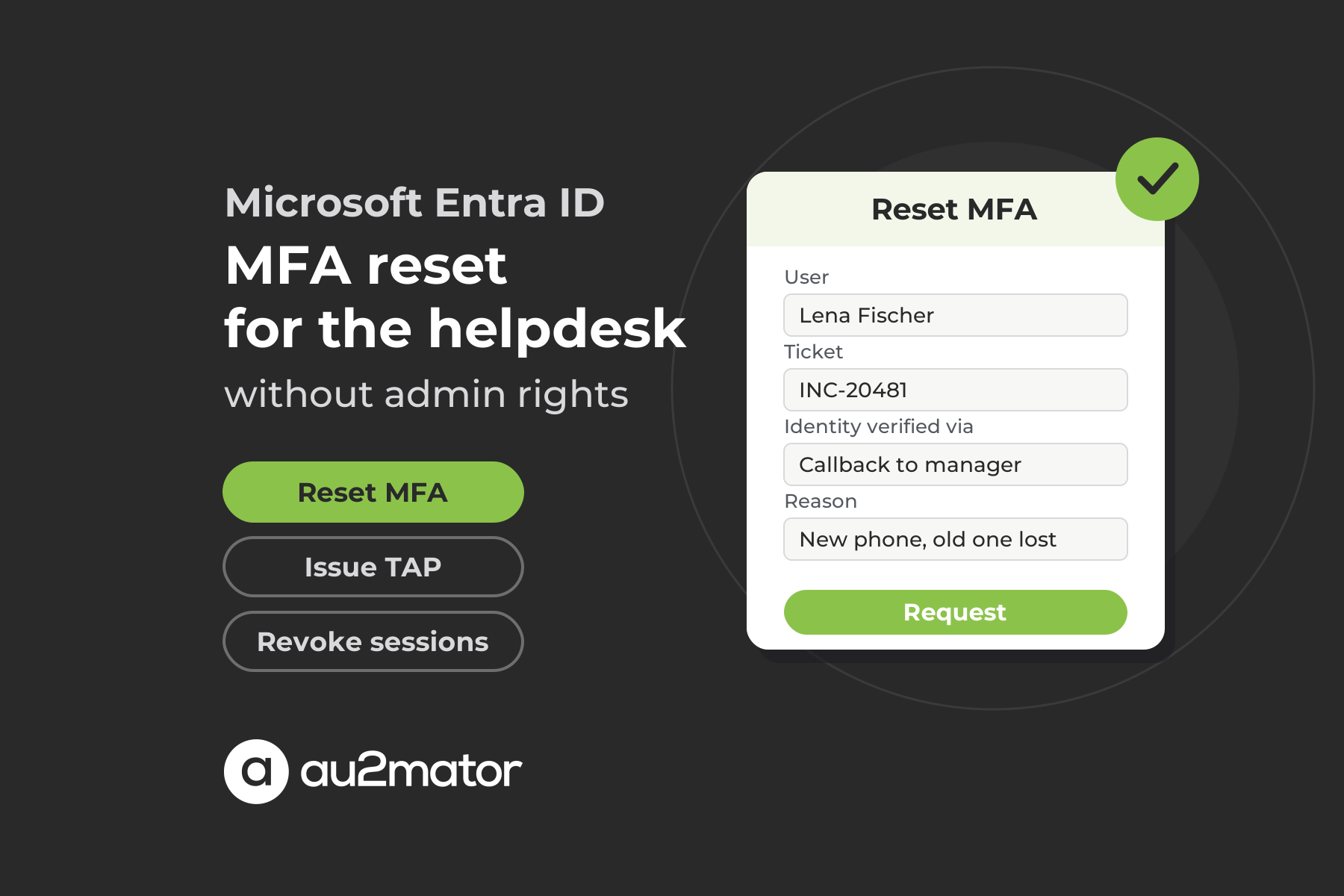
The service is the reset script from the previous section, registered on the engine where it already runs. The form exposes only what you want the agent to decide, typically a user lookup loaded from the directory, the ticket number and a required field for the verification method, such as a callback to the manager or a video call. Permissions decide who sees the service, so the first-level team sees Reset MFA for standard users and only the security team sees a second service for executives. Approval is set per service, none for a standard user, the manager for a VIP account, the security group for a privileged one, where one member or a defined share of the group has to approve. For execution, au2mator starts the script through the API of your engine, and the script signs in with the service account or managed identity that holds the Graph permissions. The audit entry keeps the whole chain from request to script result, and that result can be reported back to your ticketing tool. If your helpdesk already runs password resets as services, as in our article on Active Directory delegation, MFA reset is the next one.
Verification, Temporary Access Pass and the recovery path after the reset
The missing piece after the reset is the Temporary Access Pass (TAP), a time-limited passcode that Microsoft describes in its Temporary Access Pass guide as a way to onboard passwordless methods and to ease recovery after a lost device. The default lifetime is one hour, the pass can be single use, a user holds only one at a time, and the TAP policy has to include the user first. With it the user signs in to Security info and registers the new Authenticator or security key.
In au2mator the pass is the last line of the same script. New-MgUserAuthenticationTemporaryAccessPassMethod creates it as a single-use pass, the value comes back as the result of the request, and the agent reads it to the user on the channel used for verification, never to the number that just called in. Single use matters, because the value in the request log is dead once the user has signed in with it, and the log should stay the only place it is stored.
FAQ: MFA reset in Microsoft Entra ID
Open the user in the Microsoft Entra admin center, select Authentication methods and choose Require re-register MFA. It deactivates hardware OATH tokens, deletes phone, Authenticator and software OATH methods, and the user registers a new method at the next sign-in. You need at least Authentication Administrator.
Authentication Administrator for non-administrators and Privileged Authentication Administrator for all users including administrators. Both are privileged roles, and the first can also reset passwords, delete and disable users and change a user principal name, so handing it to the whole helpdesk is a big decision. Helpdesk Administrator can reset passwords but not MFA methods.
Not in the admin center, because the reset actions are tied to Authentication Administrator. The alternative is a request layer such as the au2mator Self-Service Portal. The agent fills in a form with the user, the ticket and the verification method, an approver confirms if required, and a service account runs your unchanged script on PowerShell, Azure Automation or System Center Orchestrator.
List the user’s methods with Get-MgUserAuthenticationMethod, call the matching Remove cmdlet for each Authenticator, phone and software OATH method, then Revoke-MgUserSignInSession. The account running the script needs the application permissions UserAuthenticationMethod.ReadWrite.All, User.Read.All and User.RevokeSessions.All, and no Entra role. A phone method that is still the user’s default cannot be deleted until the default changes.
Something the caller cannot control, such as a callback to the manager or to a number already on file, a video call, or an in-person ID check. Knowledge questions and the number that just called in are what attackers such as Scattered Spider rely on. In au2mator the verification method is a required form field, so no reset is submitted without a documented check.
Yes, whenever the user has no other strong method left. A Temporary Access Pass is a time-limited code, one hour by default and optionally single use, that lets the user sign in to Security info and register a new Authenticator app or security key. Hand it over on the channel you used for verification, and in au2mator let the reset script create it.
Conclusion: an MFA reset is a trust decision, so give it a process instead of a role
Microsoft gives you the admin center button, the Graph cmdlets and the Temporary Access Pass. What Microsoft leaves open is the question that matters, namely who verified the person on the phone and who may pull the trigger. A privileged role for the whole helpdesk answers it badly. A small script applies your rules, a service account with three Graph permissions runs it on your engine, and a form in front makes the identity check mandatory and the audit entry automatic.
If you want to see how your MFA reset tickets could become verified self-service requests, book a 30-minute call with Michael Seidl, Microsoft MVP and founder of au2mator, and bring the reset that worried you most.