What Active Directory group management covers, from scopes to the daily request
Active Directory group management is the work of deciding who belongs to which group. Groups are how Active Directory (AD) hands out almost everything, from file share permissions and application roles to Group Policy filtering and, via Microsoft Entra Connect, Microsoft 365 licenses. Microsoft distinguishes security groups, which appear in access control lists (ACLs), from distribution groups, which carry mail. It also defines three scopes (domain local, global and universal), as the security groups reference on Microsoft Learn explains. Domain local groups hold permissions in their own domain, global groups collect the people of one domain, and universal groups span the forest.
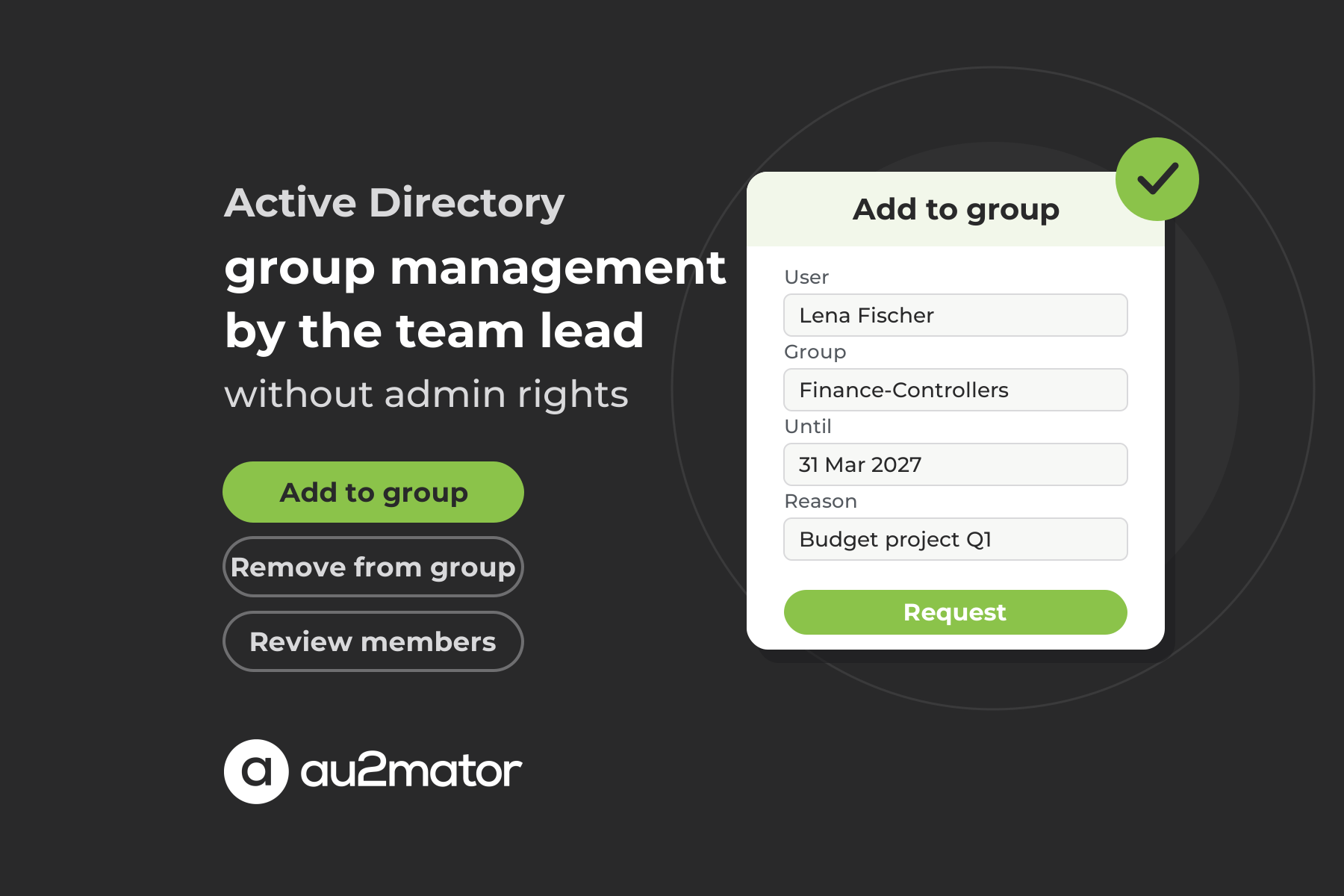
Well-run directories follow the AGDLP pattern (accounts, global groups, domain local groups, permissions) in the figure. Accounts go into global groups that describe a role, those go into domain local groups that describe access to one resource, and only the domain local group appears on the resource. What changes every day is the membership of the global groups. A new colleague needs the Finance share, a project needs two contractors in the customer relationship management (CRM) group, somebody moves teams. In au2mator that request is a form the team lead fills in, not a ticket.
Why group membership requests still pile up in the ticket queue
Active Directory ships three ways to let somebody other than a domain administrator change a membership, and each stops short of what a team lead needs. The first is the built-in Account Operators group, which can create and modify most users and groups in the domain. Microsoft ships it with no default members, and its security groups reference marks it as not safe to delegate to non-service administrators, and a team lead who wants to add one person to one group does not belong in it.
The second is the Managed By tab, where the checkbox Manager can update membership list grants the manager write access to the member attribute. It works, but it names a single manager per group, a user or a group, with no approval step and no field that records why somebody was added. The third is the Delegation of Control wizard with the task Modify the membership of a group, applied to an organizational unit (OU), the AD container that holds the groups. That scales better, but it still hands an administrator’s tool to non-administrators, and every change is at best a line in the Security event log, without reason, ticket number or end date.
The result is familiar. Memberships are added quickly and never removed, groups keep owners who left the company, nested groups grant access nobody can trace, and the quarterly access review becomes an archaeology project. A membership change is small, but it is an access decision, and that needs a record of who asked, who approved, until when. au2mator keeps exactly that record for every change that runs through it.
Four ways to manage Active Directory group memberships
| Approach | Who holds the AD right | Approval and record | Watch out for |
|---|---|---|---|
| Ticket to IT, administrator edits the group | Domain Admins, Account Operators or an OU right from the Delegation of Control wizard | Whatever is written in the ticket | Every change waits, removals are forgotten, the admin does not know the team |
| Managed By with Manager can update membership list | One manager per group, directly on the member attribute | None, the manager edits in Active Directory Users and Computers | No approval, no reason, no end date, one principal per group |
| Your script plus the au2mator Self-Service Portal | Nobody on the team. A service account holds write rights on the self-service groups and runs the script on one of the three engines au2mator supports | One approver or approver group per service, validity in days as a form field, one audit entry per change | You still define which groups are self-service and who owns them |
| Group management suites and identity governance (IGA) tools | The suite’s service account | Built-in workflows and attestation campaigns | Another console, license per user, often sized for enterprises with thousands of groups |
In the third row the person who knows the team requests, the approver you set decides, nobody outside IT holds an AD right, and there is no second console. The script doing the work on PowerShell, Azure Automation or System Center Orchestrator is the one your administrators run today.
The PowerShell behind a group membership change
A membership change is a handful of cmdlets from the ActiveDirectory module. Get-ADGroup finds the group and its owner in ManagedBy, Add-ADGroupMember and Remove-ADGroupMember change the membership, Get-ADGroupMember lists it. The interesting parameter is MemberTimeToLive. With it the membership carries an expiry, and Active Directory itself removes the member when the time is up. MemberTimeToLive needs a forest functional level of Windows Server 2016 or later and the optional Privileged Access Management (PAM) feature, enabled once per forest with Enable-ADOptionalFeature. Like the Recycle Bin it cannot be switched off again, so agree it with whoever owns the forest. From then on a domain controller also limits a user’s Kerberos ticket lifetime to the shortest remaining membership, which is what makes short expiries take effect. If your forest is not there yet, a scheduled removal on the end date does the same job. In that case drop the MemberTimeToLive branch and store the end date in your request log.
param([string]$UserPrincipalName, [string]$GroupName, [string]$Action, [int]$DaysValid, [string]$TicketId)
$ErrorActionPreference = 'Stop'

# Runs on your engine as the service account that holds write rights on the self-service OU only
$selfServiceOU = 'OU=SelfService,OU=Groups,DC=contoso,DC=com'
$group = Get-ADGroup -Identity $GroupName -Properties ManagedBy, Member
if ($group.DistinguishedName -notlike "*,$selfServiceOU") { throw "$GroupName is not released for self-service" }

$user = Get-ADUser -Filter { UserPrincipalName -eq $UserPrincipalName }
if (-not $user -or -not $user.Enabled) { throw "No enabled account for $UserPrincipalName" }
$isMember = $group.Member -contains $user.DistinguishedName
if ($Action -eq 'Add' -and $isMember) { throw "$UserPrincipalName is already a member of $GroupName" }

switch ($Action) {
    'Add' {
        if ($DaysValid -gt 0) { Add-ADGroupMember -Identity $group -Members $user -MemberTimeToLive (New-TimeSpan -Days $DaysValid) }
        else { Add-ADGroupMember -Identity $group -Members $user }
    }
    'Remove' { Remove-ADGroupMember -Identity $group -Members $user -Confirm:$false }
    default  { throw "Unknown action $Action" }
}
$until = if ($Action -eq 'Add' -and $DaysValid -gt 0) { ", expires in $DaysValid days" } else { "" }
$owner = if ($group.ManagedBy) { (Get-ADObject $group.ManagedBy).Name } else { 'none' }
"Ticket $TicketId, $Action $UserPrincipalName in $GroupName$until, owner $owner"
The script is small on purpose. It refuses any group outside the OU you released for self-service, so a mistyped name cannot touch Domain Admins. It refuses disabled accounts and duplicate adds, and it returns one line for the request log. The service account that runs it needs write permission on the member attribute of groups in that OU and nothing beyond the read access every domain account has. That is a single Delegation of Control entry instead of a role for every team lead.
How au2mator lets team leads manage group memberships without AD rights
au2mator is a self-service portal in front of the scripts on your engine. The team lead fills in a form, the approver you set on the service, typically the owner of that group family, approves, and a service account runs the script. The team lead signs in to the portal with their normal AD account and never holds an AD right, the approver never opens a console, and the script stays as it is.
au2mator ships no Active Directory connector and does not need one. It comes with ready-made PowerShell scripts you can start from, or you register the script you already have. Your automation gets a front door, an approval and a log.
What a group membership service looks like in au2mator
The service is the membership script above, on the engine where it already runs. The form exposes only what the requester decides, typically a user lookup from the directory and a group dropdown filled by a query limited to the self-service OU or a naming prefix. Add an optional number of days the membership should last, which maps to the DaysValid parameter, and a ticket number or reason for the TicketId parameter. Permissions decide who sees the service, while the group query decides which groups a requester can pick. Approval is set per service, one approver or an approver group, so you build one service per team or group family with its owner as approver, or none for distribution groups. For execution, au2mator starts the script through the API of your engine, and the script authenticates with its own service account. The audit entry holds requester, approver, timestamps, form values and script output, and your script can post the result to your ticketing tool. If your helpdesk already runs password resets as au2mator services, group membership is usually the next high-volume candidate.
Keeping groups clean with owners, expiring memberships and reviews
Adding people is the easy half. Groups get messy because nobody removes anyone, so the process has to make removal the default, and three habits do most of the work. Every self-service group has an owner in ManagedBy, and that owner, not IT, is the approver on the service that covers the group. Every project membership gets an end date, enforced by MemberTimeToLive or a scheduled removal, so access ends with the project. And every leaver request strips all direct memberships in the run that disables the account.
The step most teams skip is the review. A second script on a schedule lists memberships expiring in the next two weeks with Get-ADGroup -ShowMemberTimeToLive and mails them to the owner, who extends them with a new request or lets them lapse. The same mechanism runs a quarterly attestation of a sensitive group. Expiring memberships are also the basis of just-in-time admin access, which our article on expiring group membership in Active Directory covers in depth.
FAQ: Active Directory group management
It covers creating groups, deciding their type and scope, naming and owning them, and above all managing who is a member. Security groups carry permissions through access control lists, while distribution groups carry mail. Most daily work is membership changes in global groups, which is the step worth automating with a request process.
Add the person to Account Operators, which is far too broad, or set them as Managed By and tick Manager can update membership list, which gives write access without approval or record. Or use the Delegation of Control wizard on an OU with the task Modify the membership of a group. au2mator keeps the delegation on a single service account and gives the team lead a form instead.
Not with the console, because every console path needs a right on the group. In the au2mator Self-Service Portal the team lead fills in a form, the approver set on the service, typically the group owner, approves, and a service account runs your unchanged Add-ADGroupMember script on PowerShell, Azure Automation or System Center Orchestrator.
Use Add-ADGroupMember with the group as Identity and the user as Members, Remove-ADGroupMember to take them out and Get-ADGroupMember to list members. With MemberTimeToLive the membership expires on its own, which needs the Privileged Access Management optional feature and a forest functional level of Windows Server 2016 or later.
Security groups can be placed in access control lists and therefore grant permissions on shares, applications and Group Policy. Distribution groups are mail-enabled lists that are not security-enabled, so they cannot be placed in ACLs and cannot grant access. Both have a scope of domain local, global or universal, which decides where members come from and where the group can be used.
Give every group an owner in ManagedBy, use a naming convention that shows scope and purpose, put an end date on project memberships, strip memberships in the leaver run and review sensitive groups with the owner on a schedule. A scheduled script lists expiring memberships and mails the owner, who extends them with a new au2mator request, so removal happens by default instead of by memory.
Conclusion: group membership is a decision for the team, not a task for the administrator
Active Directory gives you the group model, the cmdlets and even an expiry on memberships. What it does not give you is a way for the people who know the team to make the change without administrator rights. A small script applies your rules, a service account with write rights on one OU runs it on your engine, and a form in front lets the team lead ask, the approver decide and the portal keep the record.
If you want to see how your group membership tickets become approved self-service requests, book a 30-minute call with Michael Seidl, Microsoft MVP and founder of au2mator, and bring the group nobody can explain.