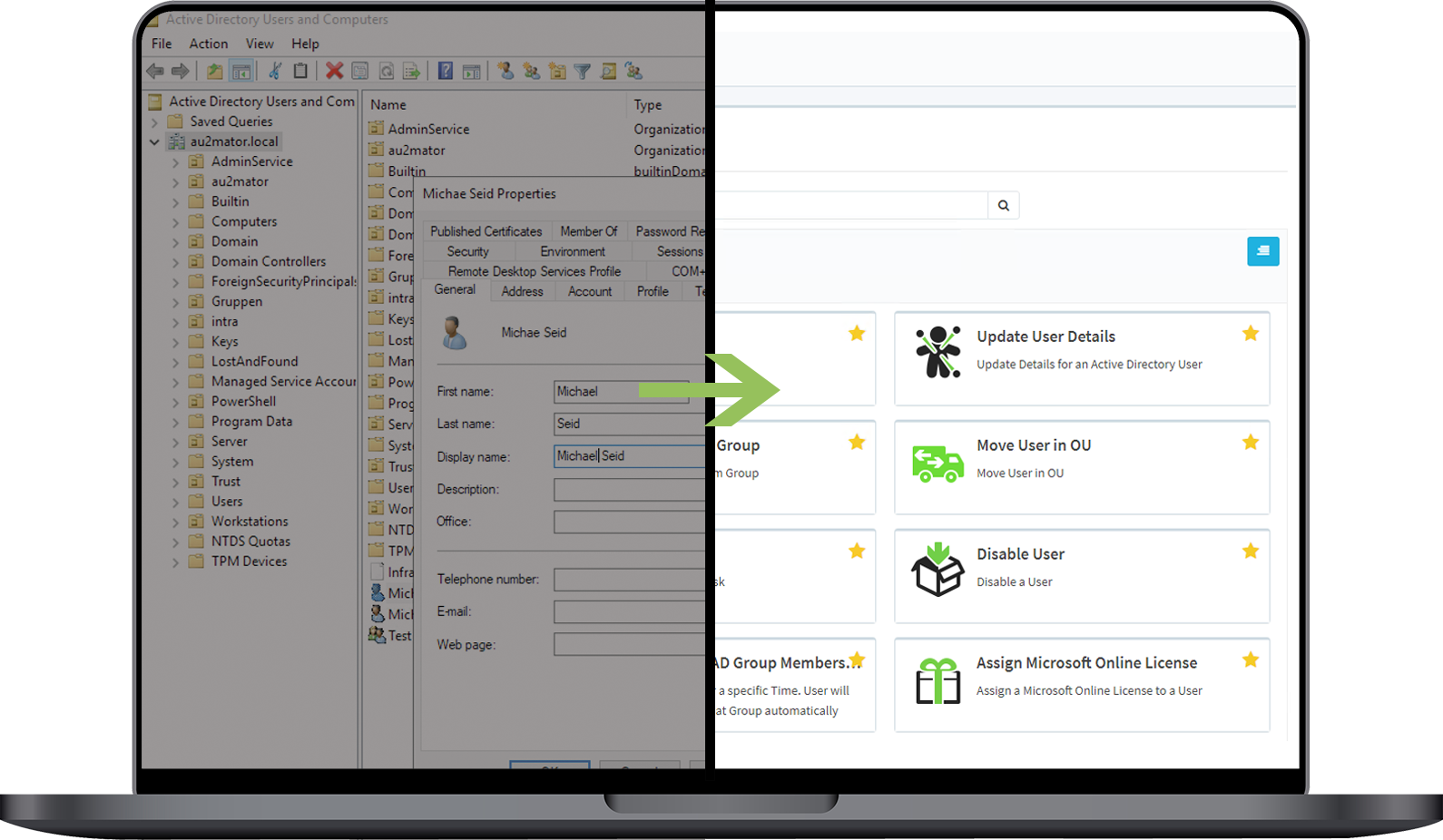
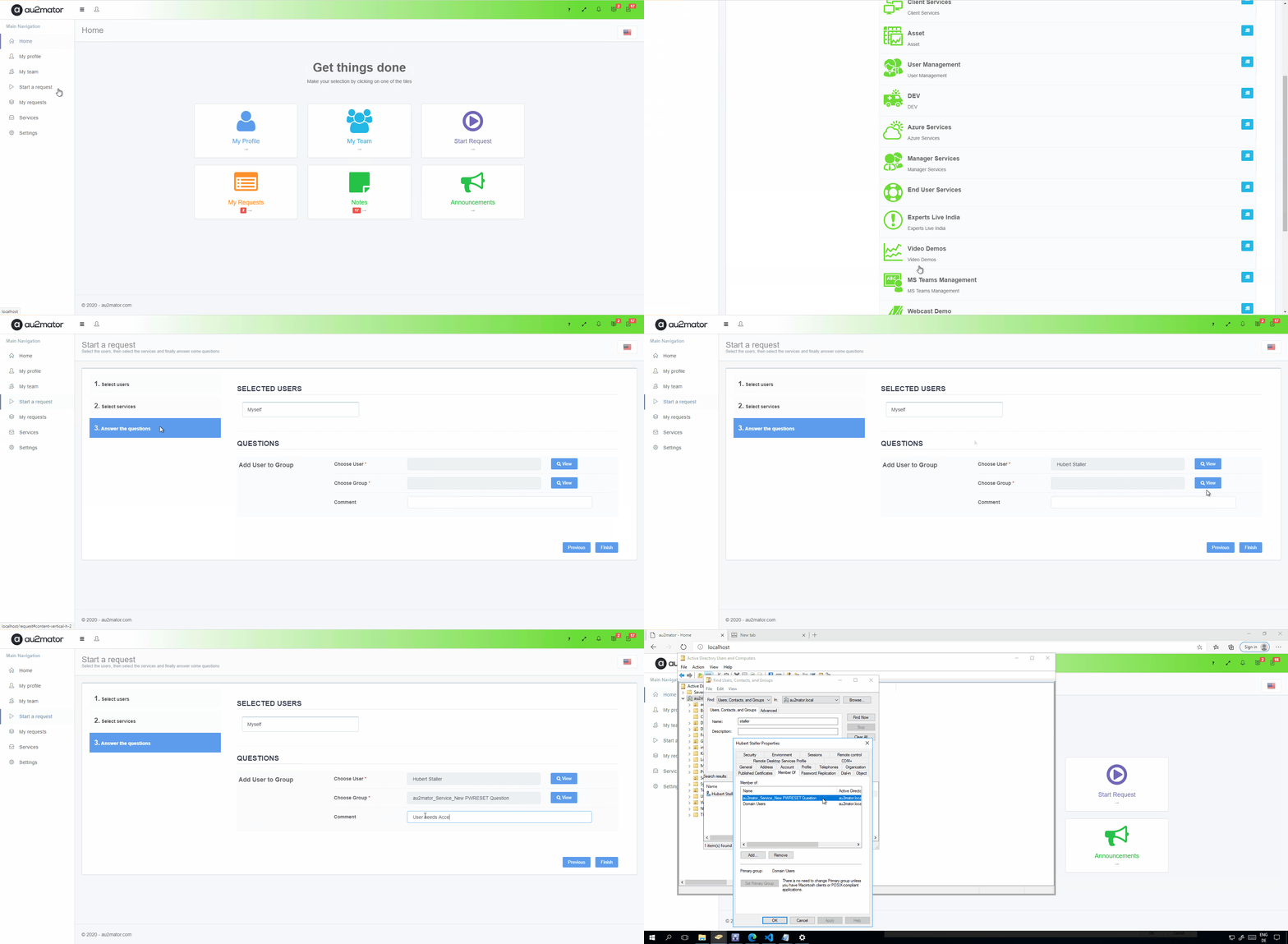
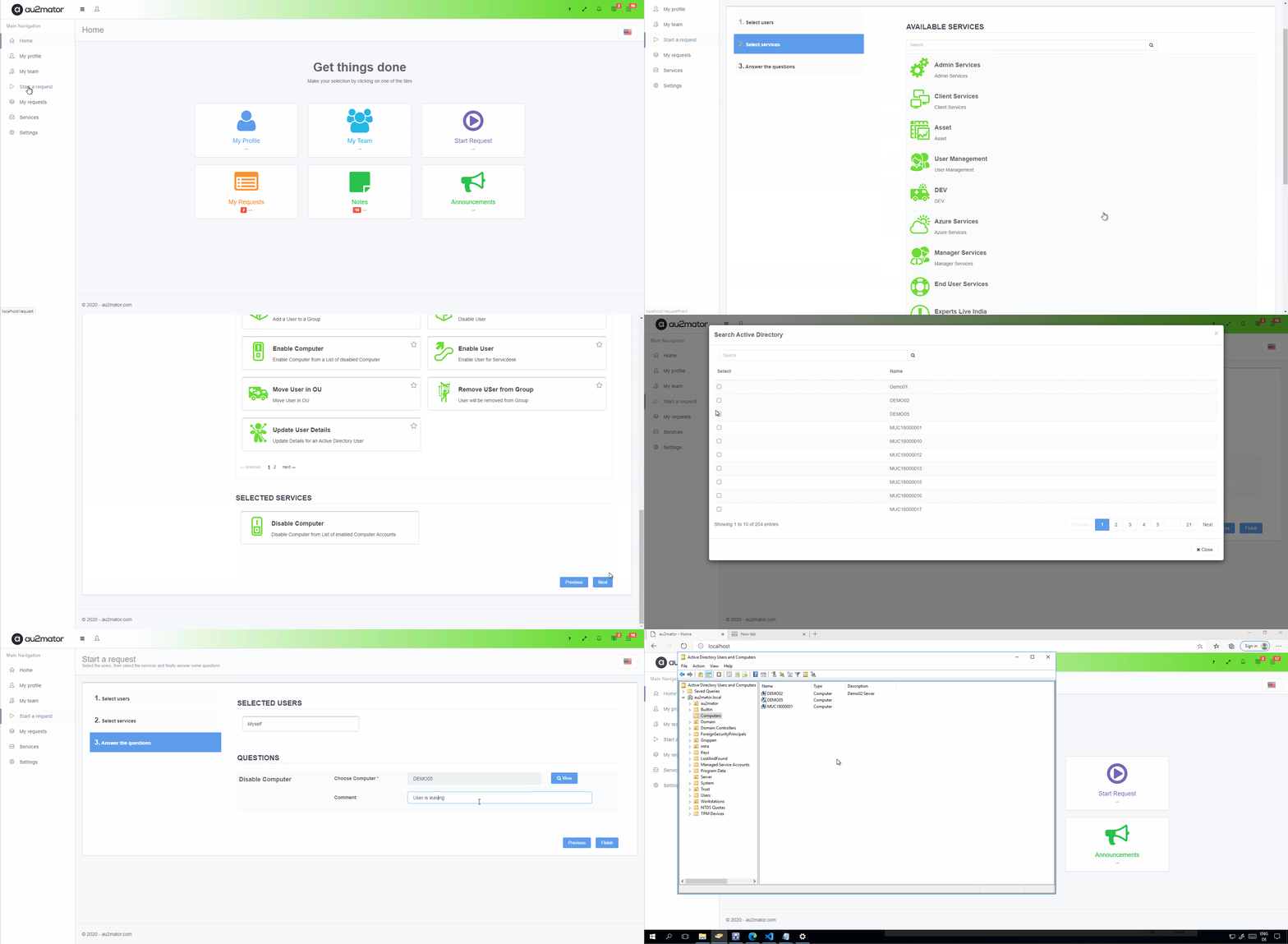
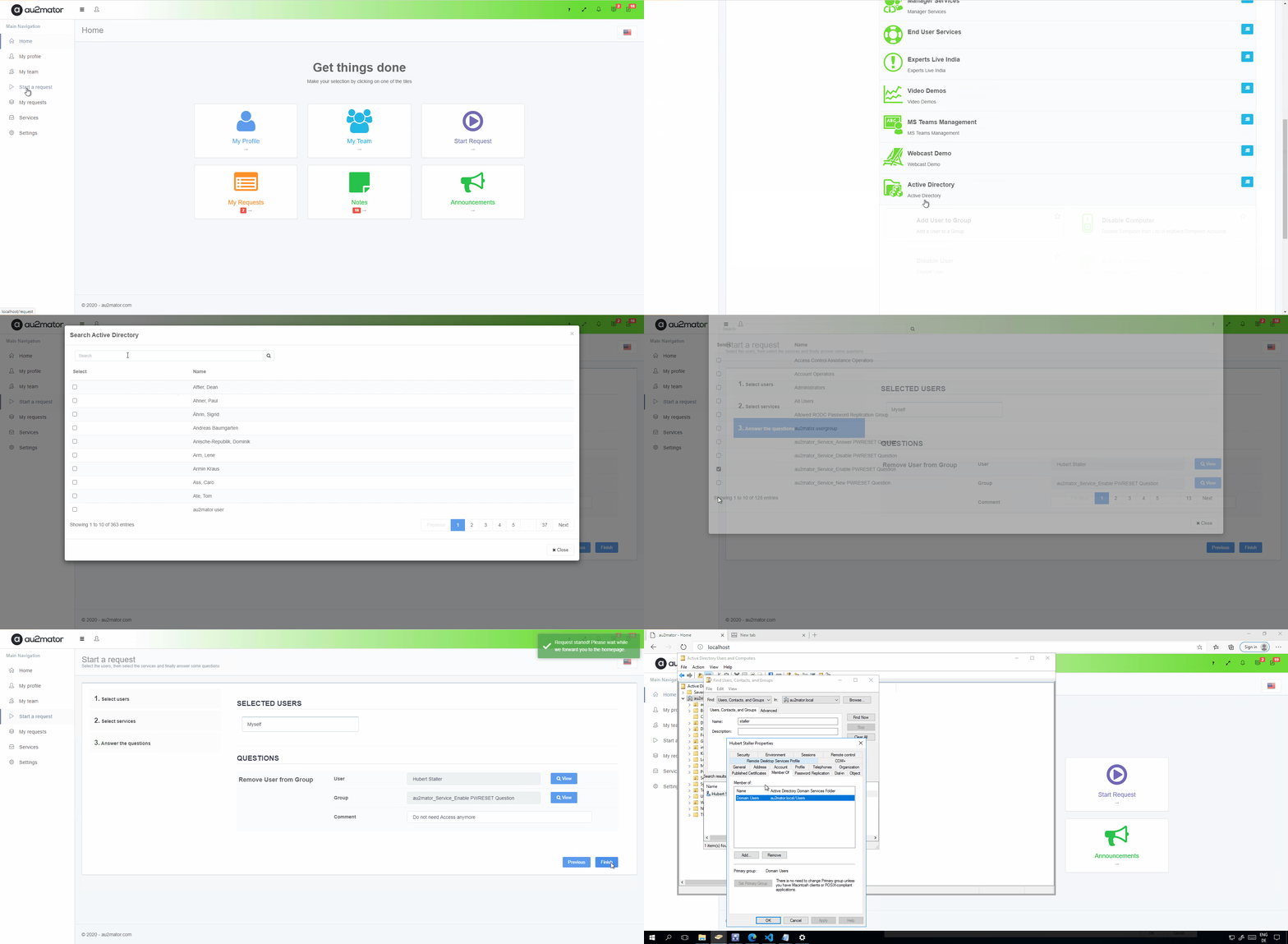
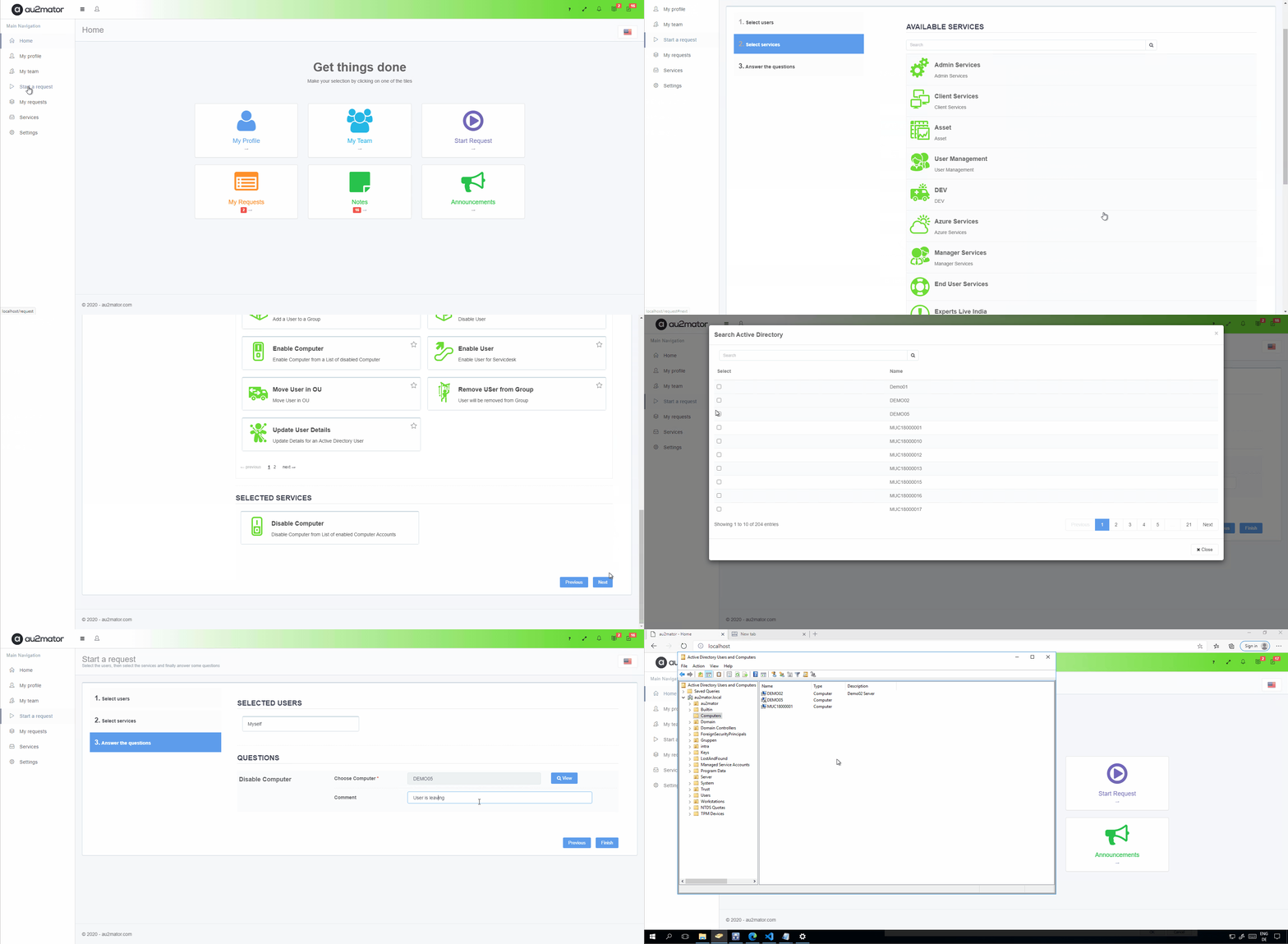
Delegate your Active Directory Task to your Service Owner or User, not the IT Department. Add additional Approval Steps to control new Requests. With au2mator – Self Service Portal, everything is documented and automated with PowerShell, Azure Automation, SC Orchestrator, or SC SMA.
Self Service your Microsoft Active Directory Environment with au2mator
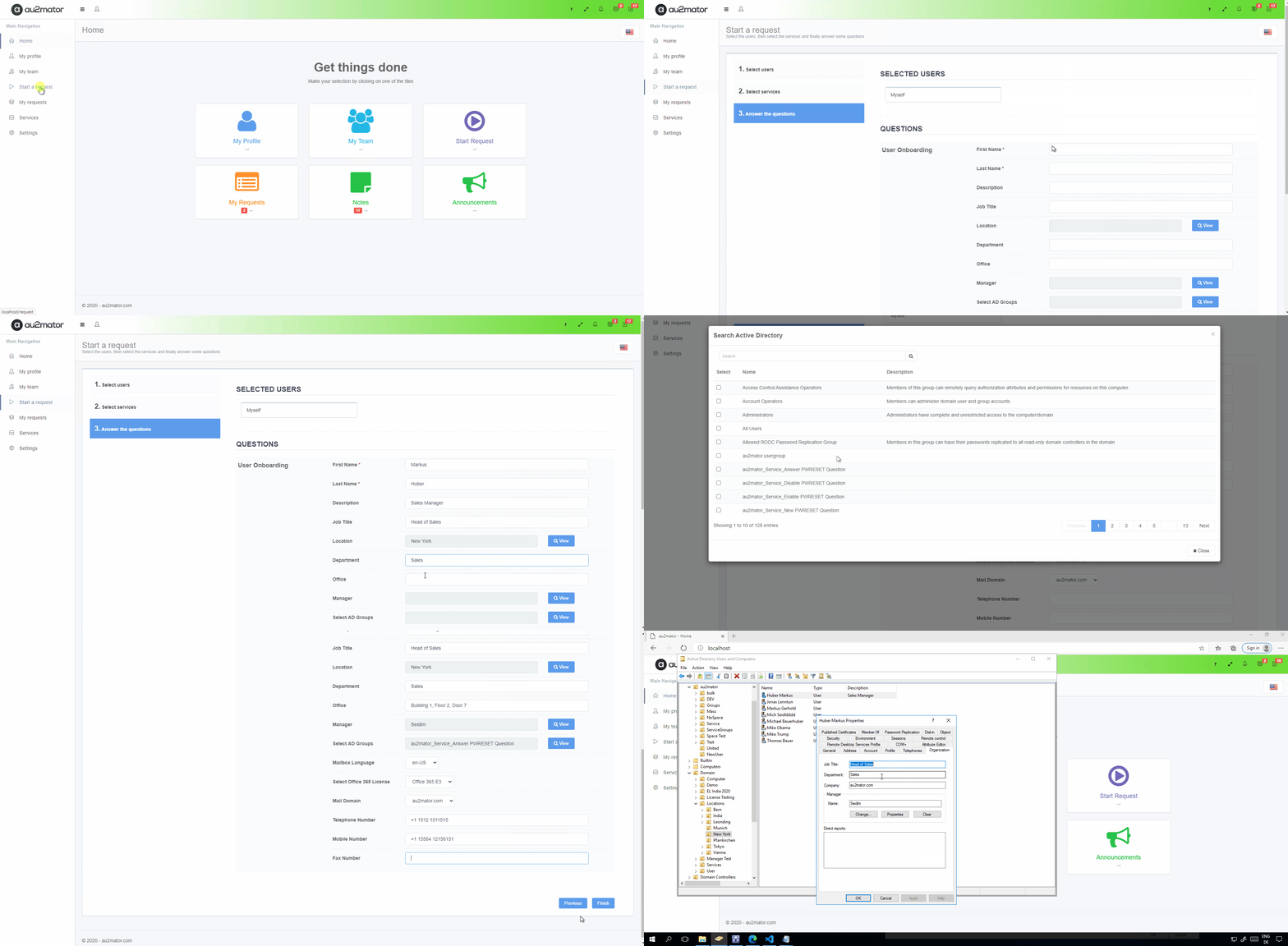
One of the Major Tasks in your IT Environment is User Onboarding. It doesn’t matter if, in your local AD, Azure AD, Office 365, Teams, or your local Phone System, you do it with au2mator.
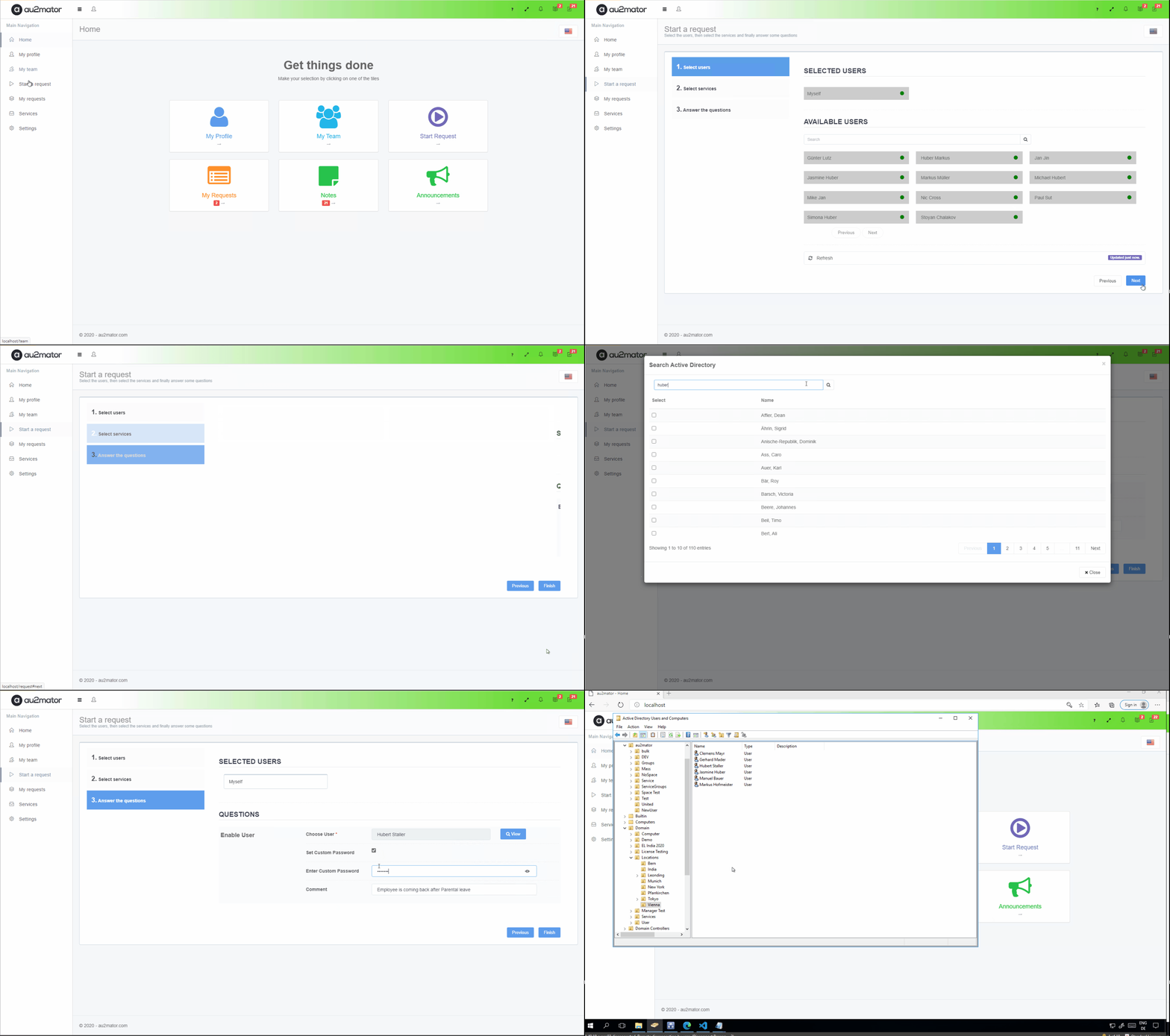
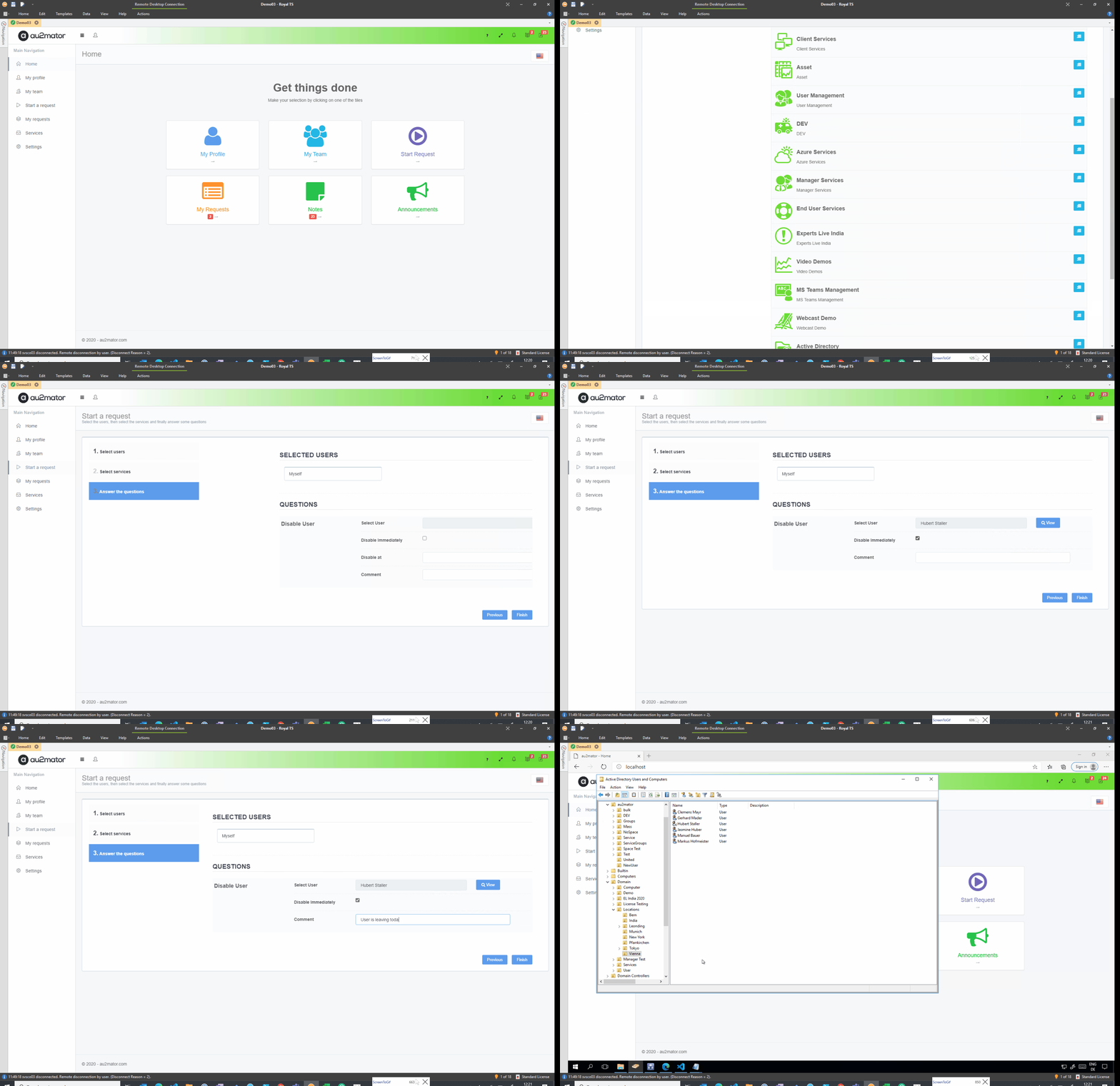
Users are often by leaps and bounds, so your IT Desk has to be. Let them Enable or Disable a User within Seconds, but stay safe and in control.
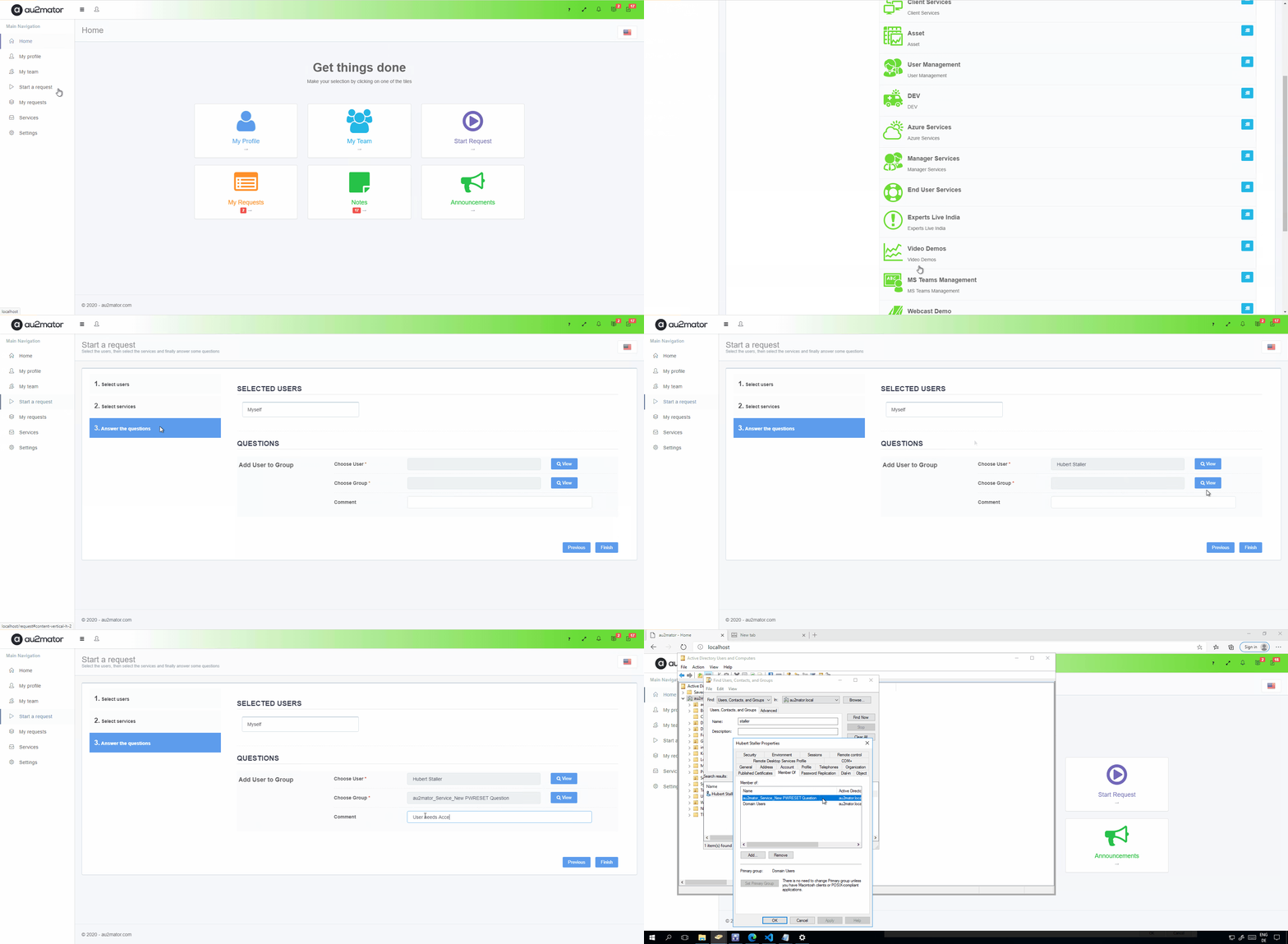
Reduce your Domain Admins and let your IT Desk control your Active Directory Memberships. Delegate and manage your Active Directory Tasks
You do not need your IT Stuff to change some User Details. Let your IT Desk or Managers and Supervisor do the Job.
Password Reset
Reinstall my Workstation
Request a Software
Change my User Details
Create a Teams Channel
Reboot a server
Set out of Office Reply
Update User Properties
Enable a User
Add a User to a Group
User Onboarding
Deploy a virtual Server
New Microsoft Team
Assign Licenses
User Leaving
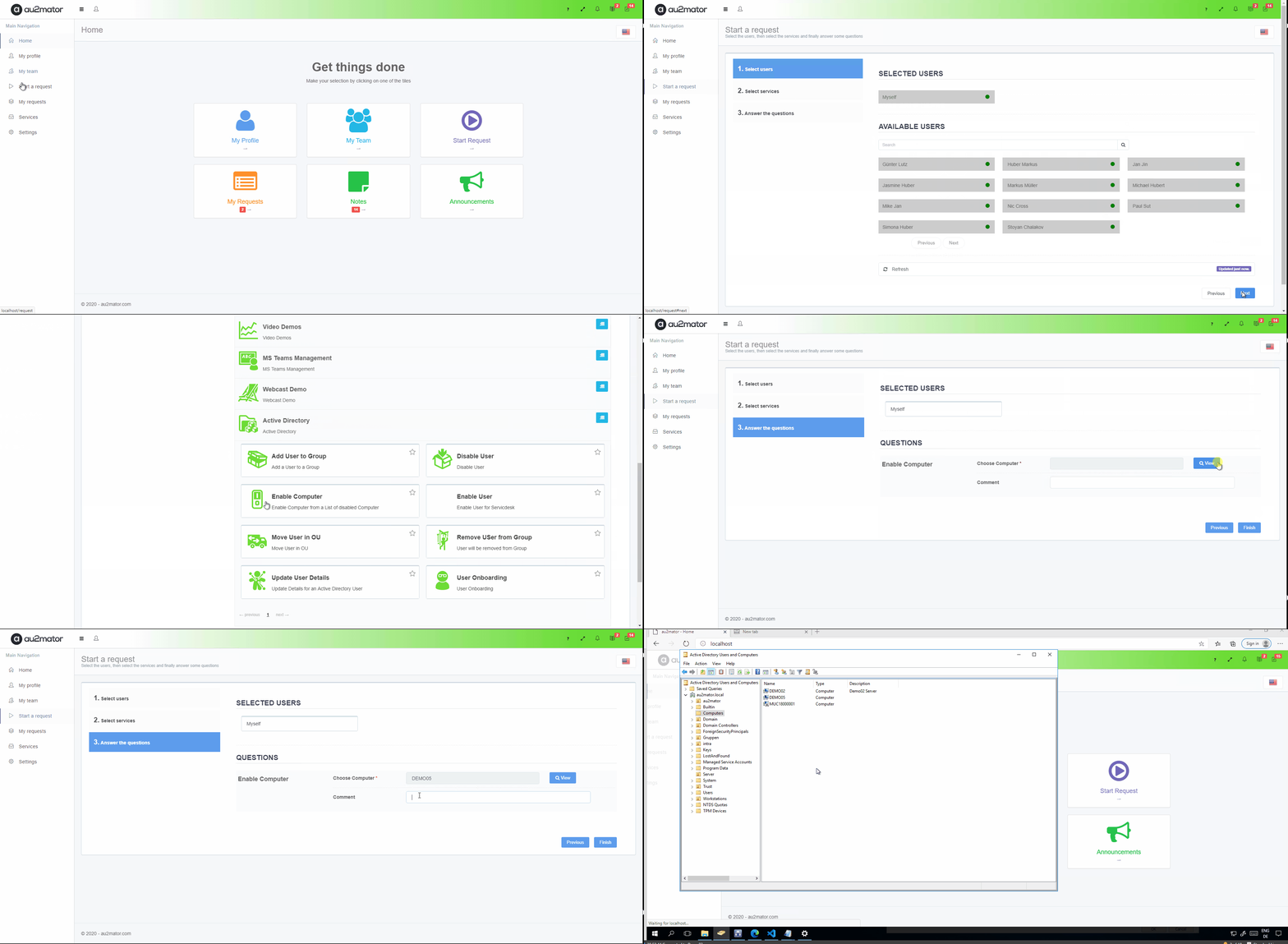
Manage your Computer Accounts with au2mator and your IT Desk, not your IT Admins. They can do it faster and easier.
Safely remove users from Active Directory groups and delegate group management tasks to your IT Desk.
It doesn’t depend on which Tasks you are providing. You are saved with au2mator even when your IT Desk needs to move a User to a different OU.
Users are often by leaps and bounds, so your IT Desk has to be. Let them Enable or Disable a User within Seconds, but stay safe and in control.
Manage your Computer Accounts with au2mator and your IT Desk, not your IT Admins. They can do it faster and easier.
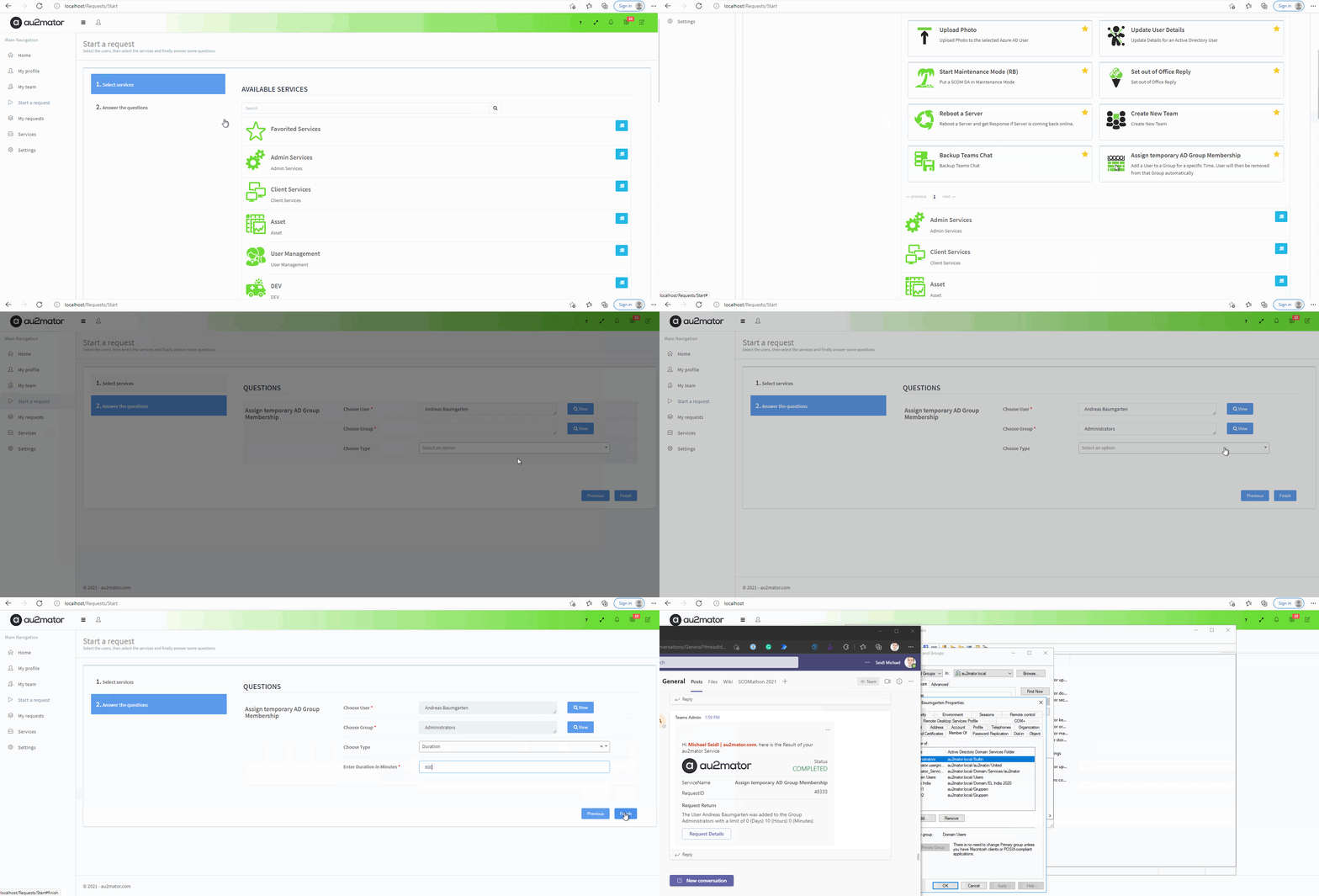
Users can request limited Access to a Group, Share, Resources, and many more and will be removed from that Group after a configured period.
Whatever you can imagine and touch with Microsoft Automation, you can delegate with au2mator Self service Portal.
Build your Automation with Microsoft and build your Form with au2mator.
Sounds Interesting? See the ROI Calculation when you use au2mator
User Onboarding | User Offboarding | Reset Password | Add User to Group | many more…
Create New Teams | Add Member | Backup Teams Chat | Change Owner | many more…
Maintenance Mode | Deploy Agent | Export Configuration | Schedule Maintenance | many more…
Assign License | Set Out of Office Reply | Remove License | many more…
Upload User Photo | many more…
Add User to Collection | Set Primary User | Add Computer to Collection | many more…
Reduce your Domain Admins
or Application Admins by
providing Self Service Forms
and Automation.
No accident errors can happen
If you get three different answers from 3 other people on how they implement a specific Process, you need to react!
Build Self Service Forms to delegate routine tasks to your End User or Help desk Team.
No IT Admin needs to reset User Passwords or create new Users.
Do not pay for people, doing daily routine tasks on your business.
Use them to take your IT to the next level and increase the Quality
When a User is solving a Request in a short time, they are happy and more reliable
Nothing is more boring than doing the same task every day, so automate and Self Service your IT
Our Pros would love to support you with your Process Automation. Whether you need us for a quick Start, a specific Project, or want to use our Managed Services.
We help more than 100 Companies worldwide to automate and delegate IT Processes. Profit from our Know-How and experience.
Let’s talk automation.
Have a question about au2mator, our automation engines, or how to best implement them in your environment? Reach out to us using the form, and our team will respond as soon as possible – usually within one business day.