What is an Azure Automation runbook?
An Azure Automation runbook is a script, PowerShell or Python, that lives inside an Azure Automation account and runs in Microsoft’s cloud sandbox or on a Hybrid Runbook Worker in your own datacenter. Azure handles hosting, authentication via managed identity, scheduling, logging, and retention of job history. You supply the logic.
Microsoft lists five runbook types (graphical runbooks come in two flavours). Only two of them matter for new projects:
| Runbook type | Runtime | Use it for | Status |
|---|---|---|---|
| PowerShell | PowerShell 7.4 / 7.6 (5.1 still available) | Almost everything: Entra ID, Exchange, Azure resources, on-prem AD via Hybrid Worker | Recommended |
| Python | Python 3.10 | Teams with a Python codebase, REST-heavy tasks | Recommended |
| PowerShell Workflow | PowerShell 5.1 only | Checkpoints, parallel execution (legacy) | Legacy, no PowerShell 7 support |
| Graphical / Graphical Workflow | Generated PowerShell 5.1 | Drag-and-drop authoring | Legacy, cannot be converted to text |
Two details trip up a lot of people. First, since 30 September 2023, Run As accounts are gone: runbooks authenticate with a managed identity, and nothing else. Second, Microsoft now ships Runtime Environments: you pin PowerShell version and module versions per environment, so a module update in one runbook no longer breaks another. If you still run PowerShell 7.1 or 7.2 runbooks, migrate them; those versions are retired.
The runbook lifecycle: create, test, publish, run
Whatever you plan to do with a runbook later, the lifecycle is always the same:
A minimal, production-ready PowerShell runbook looks like this. It authenticates with the Automation account’s system-assigned managed identity and starts a VM:
param (
    [Parameter(Mandatory = $true)]
    [string] $ResourceGroupName,
[Parameter(Mandatory = $true)]
    [string] $VMName
)
# Authenticate with the Automation account's managed identity (no Run As account, no secrets)
Connect-AzAccount -Identity | Out-Null
$vm = Get-AzVM -ResourceGroupName $ResourceGroupName -Name $VMName -Status
$state = ($vm.Statuses | Where-Object Code -like 'PowerState/*').DisplayStatus
if ($state -eq 'VM running') {
    Write-Output "$VMName is already running."
    return
}
Start-AzVM -ResourceGroupName $ResourceGroupName -Name $VMName | Out-Null
Write-Output "$VMName started successfully."
Note the Write-Output lines. Everything you write to the output stream ends up in the job history, and, as we’ll see later, is exactly what a frontend can show the person who asked for the VM. The managed identity needs the Virtual Machine Contributor role on the resource group; assign it once, not per runbook.
Runbook parameters: the interface to your users
The param block is the contract between your script and whoever starts it. Every method of starting a runbook (portal, PowerShell, webhook, or a self-service portal) reads this block to know what input to collect. Spend five minutes on it and you save hours of “the runbook failed because someone typed the VM name with a space”.
param (
    [Parameter(Mandatory = $true, HelpMessage = 'Resource group that contains the VM')]
    [ValidateNotNullOrEmpty()]
    [string] $ResourceGroupName,
[Parameter(Mandatory = $true, HelpMessage = 'VM name, e.g. vm-dev-web01')]
    [ValidatePattern('^[a-zA-Z0-9-]{1,64}$')]
    [string] $VMName,
[Parameter(Mandatory = $false)]
    [ValidateSet('Start', 'Stop', 'Restart')]
    [string] $Action = 'Start',
[Parameter(Mandatory = $false)]
    [ValidateRange(0, 8)]
    [int] $AutoStopAfterHours = 4
)
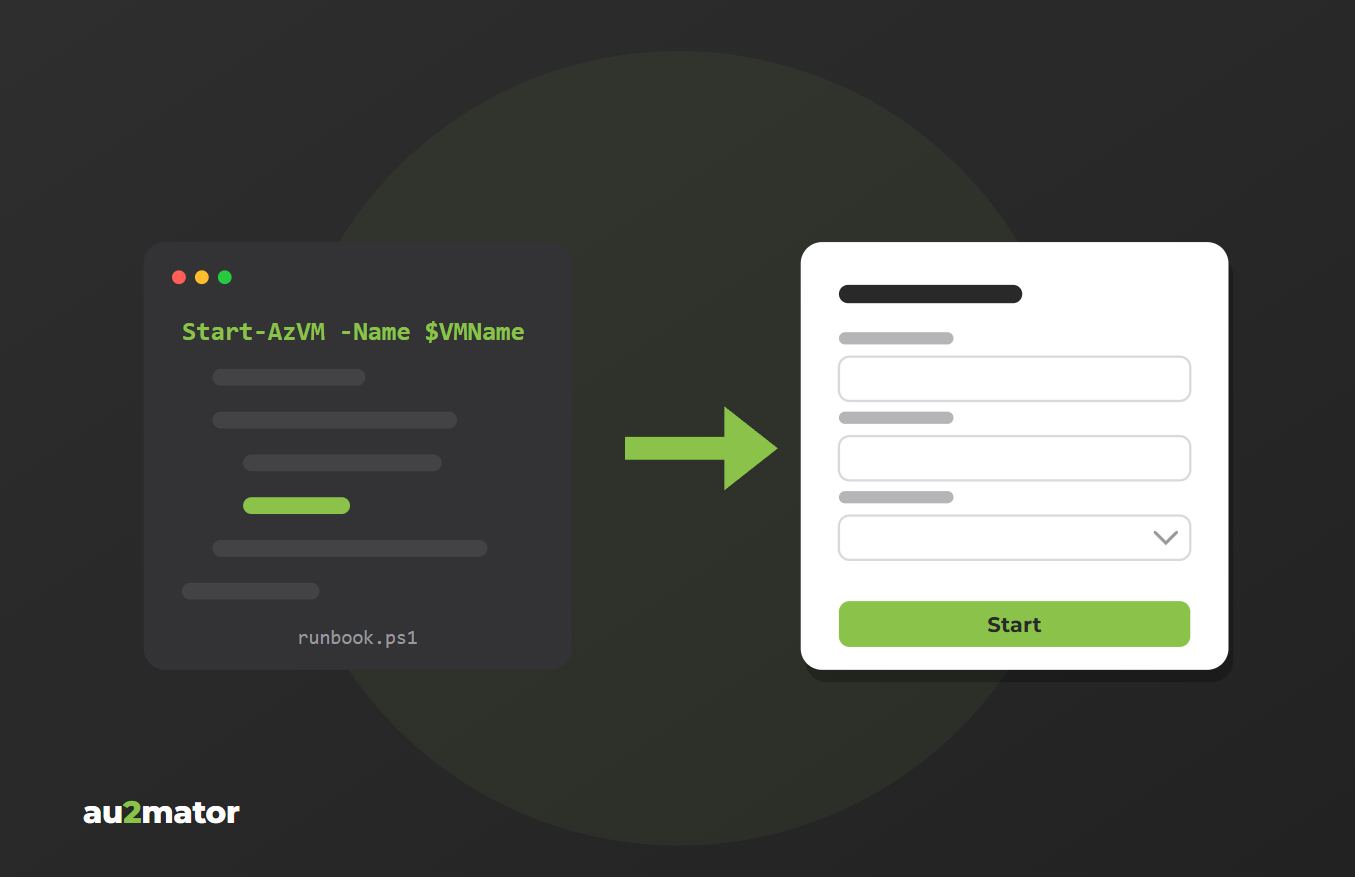
Mandatory tells the Azure portal which fields to require, alongside type and default value, and a good frontend refuses to submit without them. ValidateSet restricts the value to a fixed list. The portal still shows a text box, but a frontend that reads the param block can turn it into a dropdown, so nobody can type “restrt”.
ValidatePattern and ValidateRange make bad input fail at parameter binding, before a single line of your logic runs, and a frontend can check the same rules before it even starts the job. Defaults keep forms short: most users don’t need to decide how long a dev VM should live.
One rule that saves audits: never pass secrets as parameters. Azure Automation logs every input value with the job. Store credentials in Automation variables (encrypted) or Key Vault and read them inside the runbook.
5 ways to start an Azure runbook
Once published, a runbook can be started from the Azure portal, on a schedule, with Start-AzAutomationRunbook or the Az CLI, via the REST API, or through a webhook. Each one solves a different problem. None of the first four was designed for the person who opened the ticket.
The Azure portal is fine for admins: it needs an Azure login and at least the Automation Operator role, and your help desk shouldn’t have either. A schedule is perfect for “stop all dev VMs at 19:00” and useless for on-demand requests. PowerShell and the Az CLI are great for scripting and pipelines, as long as the caller has the Az module and permissions. The REST API is what every other integration uses under the hood; it needs a token from Entra ID and RBAC on the Automation account.
That leaves the webhook: a single HTTPS POST starts the runbook. It’s the closest thing Azure gives you to a “button”, which is why it deserves its own section.
Starting a runbook via webhook
An Azure Automation webhook is a unique URL tied to one runbook. Anyone who sends an HTTP POST to that URL starts the runbook. No Azure login, no SDK. Azure DevOps, CI/CD pipelines, monitoring tools, and, yes, custom portals use this.
The catch: the runbook receives the request through a single parameter that must be named WebhookData. Your named parameters are not filled from the request body automatically; you parse it yourself:
param (
    [Parameter(Mandatory = $false)]
    [object] $WebhookData
)
if (-not $WebhookData) {
    throw 'This runbook expects to be started from a webhook.'
}
# Optional: reject calls that don't come from the expected webhook
if ($WebhookData.WebhookName -ne 'wh-start-vm-helpdesk') {
    throw "Unexpected webhook: $($WebhookData.WebhookName)"
}
$body = $WebhookData.RequestBody | ConvertFrom-Json
Connect-AzAccount -Identity | Out-Null
Start-AzVM -ResourceGroupName $body.ResourceGroupName -Name $body.VMName | Out-Null
Write-Output "$($body.VMName) started via webhook."
Calling it from PowerShell:
$uri  = 'https://<id>.webhook.<region>.azure-automation.net/webhooks?token=...'
$body = @{ ResourceGroupName = 'rg-dev'; VMName = 'vm-dev-web01' } | ConvertTo-Json
Invoke-RestMethod -Method Post -Uri $uri -Body $body -ContentType 'application/json'
# Returns a JobId. The runbook itself runs asynchronously
Webhook security: what you must know
Read this before you paste a webhook URL anywhere:
- The URL is the password. Azure performs no authentication on webhook calls. Whoever has the URL can start the runbook with any payload.
- You see the URL exactly once, at creation. Lose it and you create a new webhook.
- Webhooks expire, one year by default. Plan the rotation, or your “button” silently dies.
- The payload is logged. Every request body is stored with the job and visible to anyone who can read job history.
- No identity. Azure Automation records that “a webhook” started the job, not who sent the request.
Microsoft’s own advice is blunt: don’t use webhooks for sensitive operations without an additional validation layer. That layer is exactly what a frontend has to provide.
Why a webhook alone is not a frontend
A webhook gives you a trigger. An end user needs more than a trigger. If you wire a Teams button or a SharePoint form straight to a webhook, you are missing at least six things:
- A form that matches the parameters. Dropdowns for ValidateSet, required fields, sensible defaults, in the user’s language.
- Authentication and authorization. Which user may start which runbook, and with which parameter values? The help desk may restart vm-dev-*, not the domain controller.
- Approval. “Deploy a new VM” should go past a team lead before it costs money.
- Input validation before the job. Reject bad input at the form, not in a failed job that someone has to debug.
- An audit trail with a name on it. Who requested what, when, why, and who approved it. Webhook job history answers none of that.
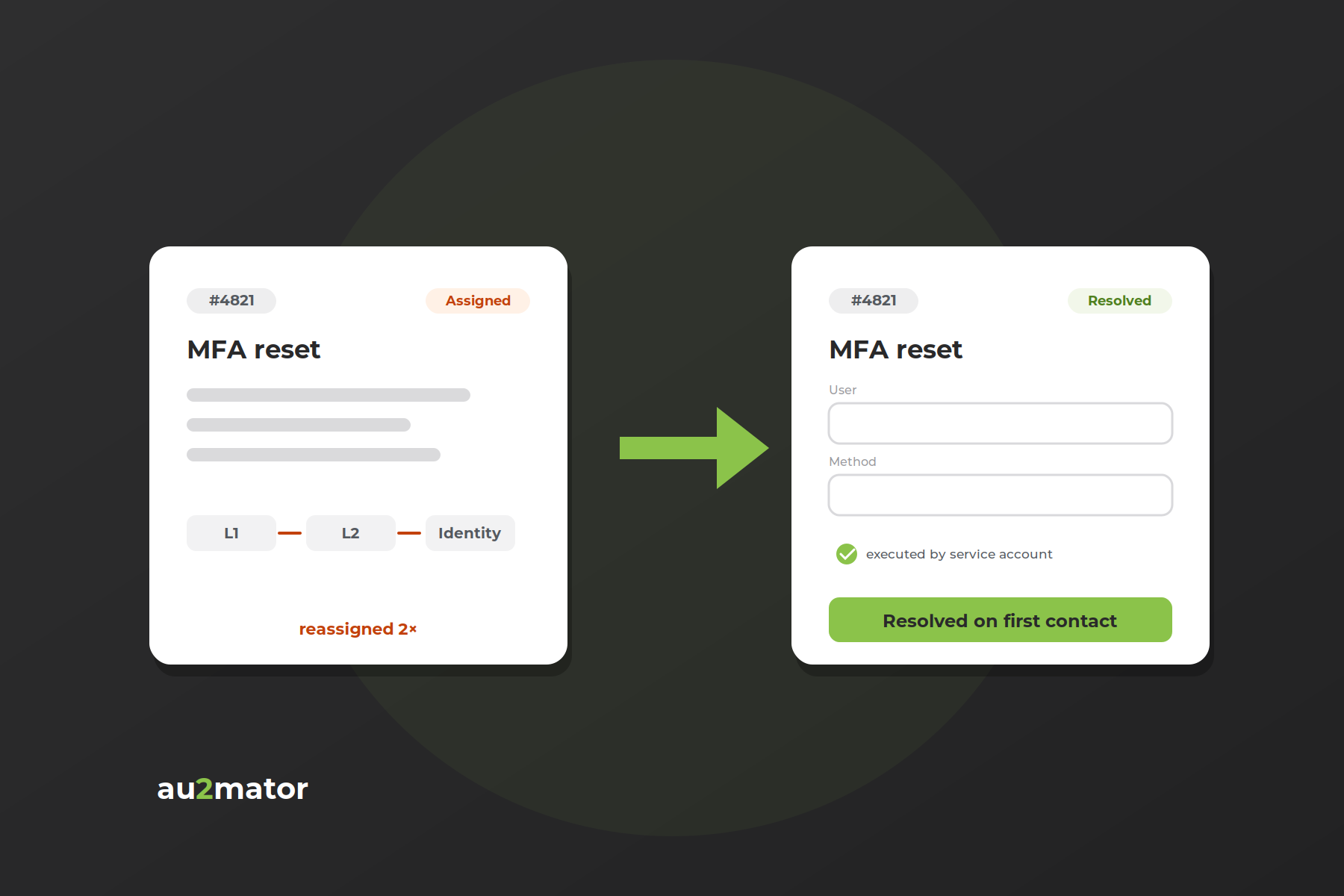
- Feedback to the requester. The output stream of your runbook (“vm-dev-web01 started successfully”) should reach the person who asked, not just the job log.
You can build all six yourself: an app registration, a web app, a database, role mapping, an approval workflow, a poller for job status. Teams do, and eighteen months later they maintain an internal product instead of automating IT. Or you put a self-service portal in front of Azure Automation that already does this.
From runbook to self-service portal in 3 steps
This is the architecture we use with au2mator as the frontend for Azure Automation. The runbook doesn’t change. What changes is everything around it:
Step 1: Connect the Automation account. au2mator authenticates against your Azure Automation account and reads the published runbooks and their parameter definitions. No webhook URLs, no shared secrets in a chat.
Step 2: Build the service. Each runbook parameter becomes a question in a form. You decide who sees the service (Entra ID groups), whether it needs approval, and which values a user may choose. A ValidateSet becomes a dropdown; a resource-group parameter can be pre-filled or hidden entirely so the user only picks a VM from a list.
Step 3: Publish to your users. The help desk or end user opens the portal, fills in the form, submits. If approval is configured, the approver gets a one-click decision. au2mator starts the runbook job, tracks its status, and shows the output stream to the requester. Every request is archived with the five Ws: who, what, when, where, why.
Silhouette International runs around 80,000 users on this pattern; location admins worldwide trigger services like “New User” or “Add User to Group” more than 100 times a day without any access to Active Directory. The runbooks do the work; the portal decides who may ask for it.
Worked example: “Start my dev VM” for the help desk
Let’s take the runbook from above and turn it into a service a first-level help desk can use safely.
The runbook is Start-DevVM with the parameters ResourceGroupName, VMName and Action (ValidateSet Start/Stop/Restart). Its managed identity holds Virtual Machine Contributor on rg-dev and nothing else.
In the portal, ResourceGroupName is hidden and fixed to rg-dev. VMName is a dropdown populated from a lookup runbook that lists the VMs in that group, and Action shows the three options. The service is visible to the Entra group Helpdesk-L1. Start and Stop need no approval; Restart goes to the VM owner first, because someone might be working on it.
The requester sees “vm-dev-web01 started successfully” in the portal and by e-mail. If the job fails, the error stream is attached to the request and IT gets notified.
The help desk never sees the Azure portal, never handles a webhook URL, and can only touch VMs in rg-dev. You get a Monday without that ticket.
Best practices for production runbooks
The move from “runs on my account” to “runs 100 times a day for other people” changes what matters. What we check on every runbook before it goes behind a form:
- Managed identity, least privilege. One role assignment per resource scope. Never Contributor on the subscription because it was quicker.
- Pin the Runtime Environment. PowerShell 7.4 (or 7.6) with explicit module versions. “Latest” is how a Graph SDK update breaks fifty services on a Tuesday.
- Idempotent by design. Users click twice. “Add to group” must succeed, not fail, if the user is already a member.
- Meaningful output.
Write-Outputa human-readable result line;Write-Errorwith context on failure. That text is what the requester reads. - Mind the three-hour fair share limit. Cloud sandbox jobs are stopped after three hours. Long-running or on-prem tasks belong on a Hybrid Runbook Worker.
- No secrets in parameters or output. Both are logged. Use encrypted Automation variables or Key Vault.
- Child runbooks for shared logic. One
Get-AuthorizedVMslookup, reused by ten services, instead of ten copies. - Version control. Author in VS Code with the Azure Automation extension, commit to Git, publish from the pipeline. The portal editor is for hotfixes, not development.
More of these mistakes, from expired webhooks to over-privileged identities, are in our free PDF 8 Ways to Screw Your Azure Automation.
FAQ: Azure Automation runbooks and end users
The code can be identical. A runbook is a script hosted inside an Azure Automation account, which adds managed-identity authentication, scheduling, job history, a sandbox or Hybrid Worker to run on, and standardized ways to start it (portal, webhook, API). A script on your laptop has none of that.
Not directly. The portal, PowerShell and the REST API all require an Azure login with RBAC on the Automation account. A webhook removes the login requirement but also removes any identity check. For end users you need a frontend that authenticates them, maps them to allowed services, and starts the job on their behalf.
Send them as JSON in the POST body. In the runbook, declare a single [object] $WebhookData parameter and read $WebhookData.RequestBody, then parse it with ConvertFrom-Json. Named runbook parameters are not populated from the request body; only values fixed at webhook creation are.
Only as secure as the URL. Azure does no authentication on webhook calls; the token in the URL is the only protection. Webhooks also expire after a year by default, and the request payload is logged with the job. Microsoft recommends additional validation for anything sensitive.
PowerShell 7.4 or 7.6 inside a pinned Runtime Environment. PowerShell 7.1 and 7.2 are retired. PowerShell 5.1 still works but should be reserved for legacy Workflow runbooks that need checkpoints.
Yes, via a Hybrid Runbook Worker installed on a machine in your network. The runbook is stored and triggered in Azure, but executes on the worker, which can reach AD, file servers, or any internal system. Hybrid Workers are also not subject to the three-hour job limit.
au2mator connects to the Automation account directly and starts runbook jobs through the Azure Automation API using its own identity, then tracks job status and output. No webhook URLs are needed, so nothing expires and every job is tied to a named requester in the portal’s audit log.
Conclusion: the runbook is the easy part
Writing an Azure Automation runbook takes an afternoon. Deciding who may run it, with which values, after whose approval, and with what feedback is what turns a script into a service. Webhooks get you a trigger. A self-service portal gets you out of the ticket queue.
If you want to see how your existing runbooks would look as services, book a 30-minute call with Michael Seidl, Microsoft MVP and founder of au2mator. Bring one runbook; we’ll build the form together.